Learn AI with OAILC
Season 1 ran eight sessions, from December to April: from “what is AI?” to production-ready agentic AI. Start anywhere, at your own pace.
One app, built across the season
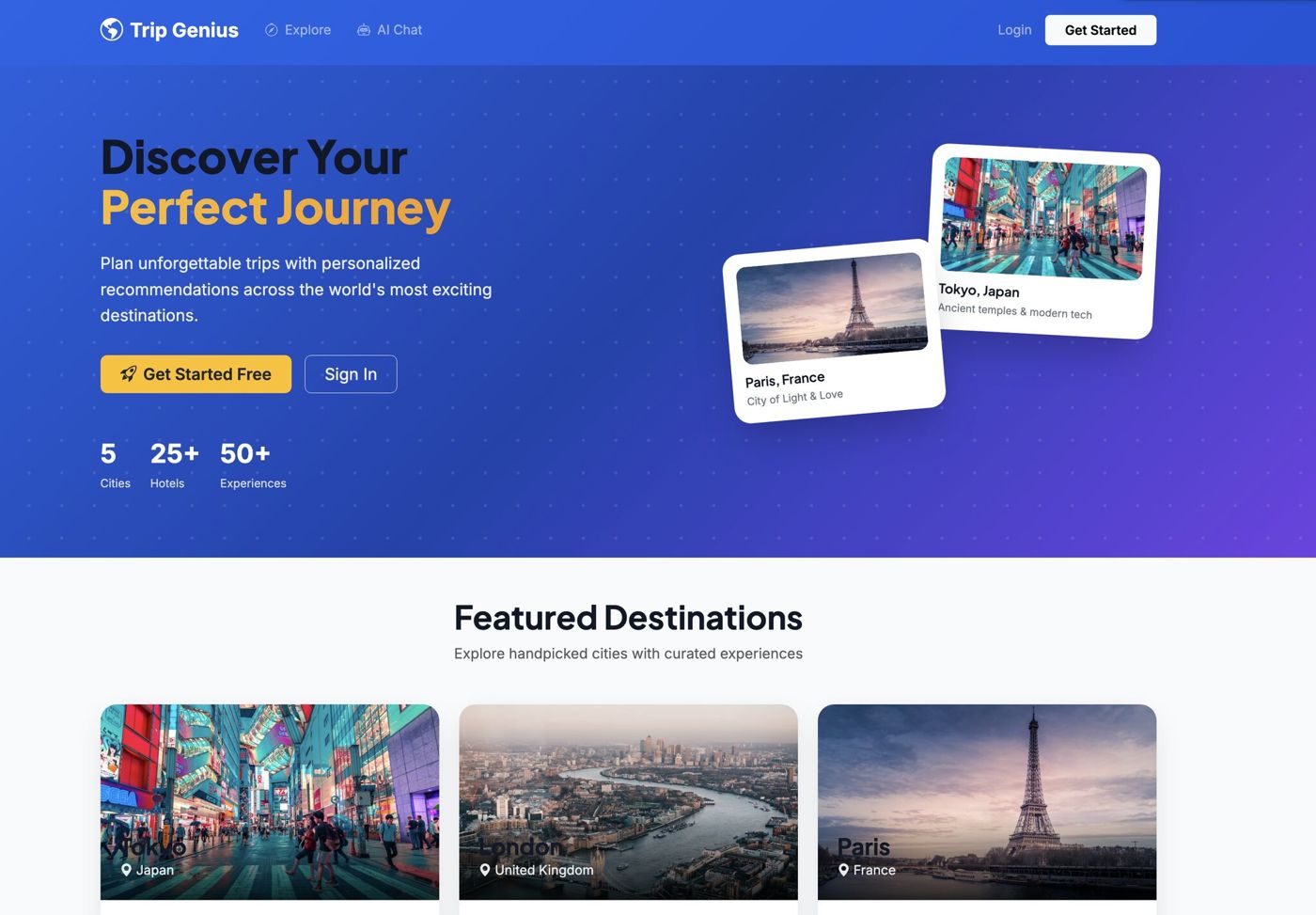
Trip Genius is an AI travel planner we built live in Session 3, then upgraded in every session after.
- S3LLM app
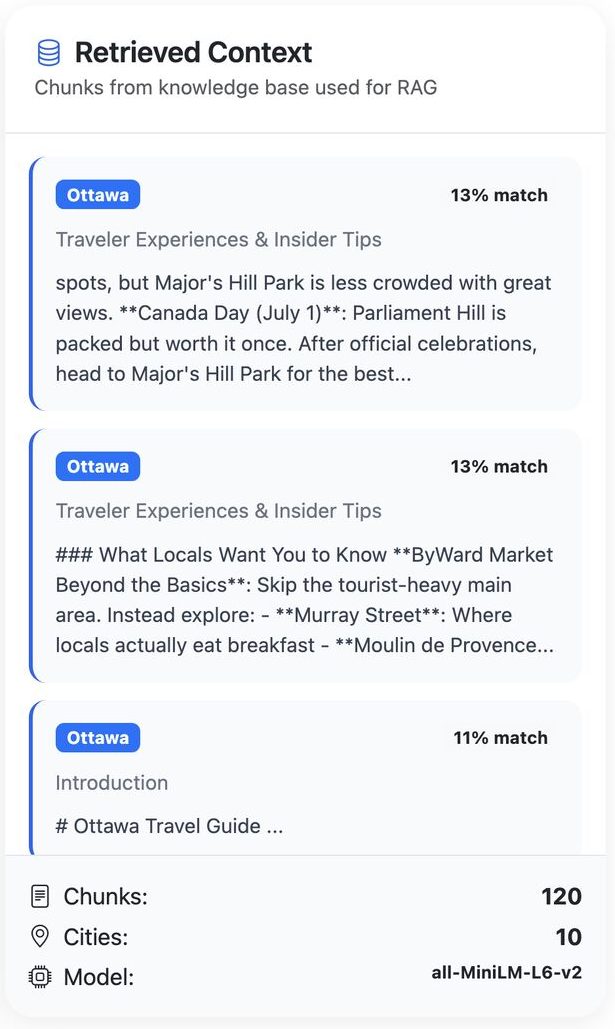
- S4+ RAG
- S5+ MCP
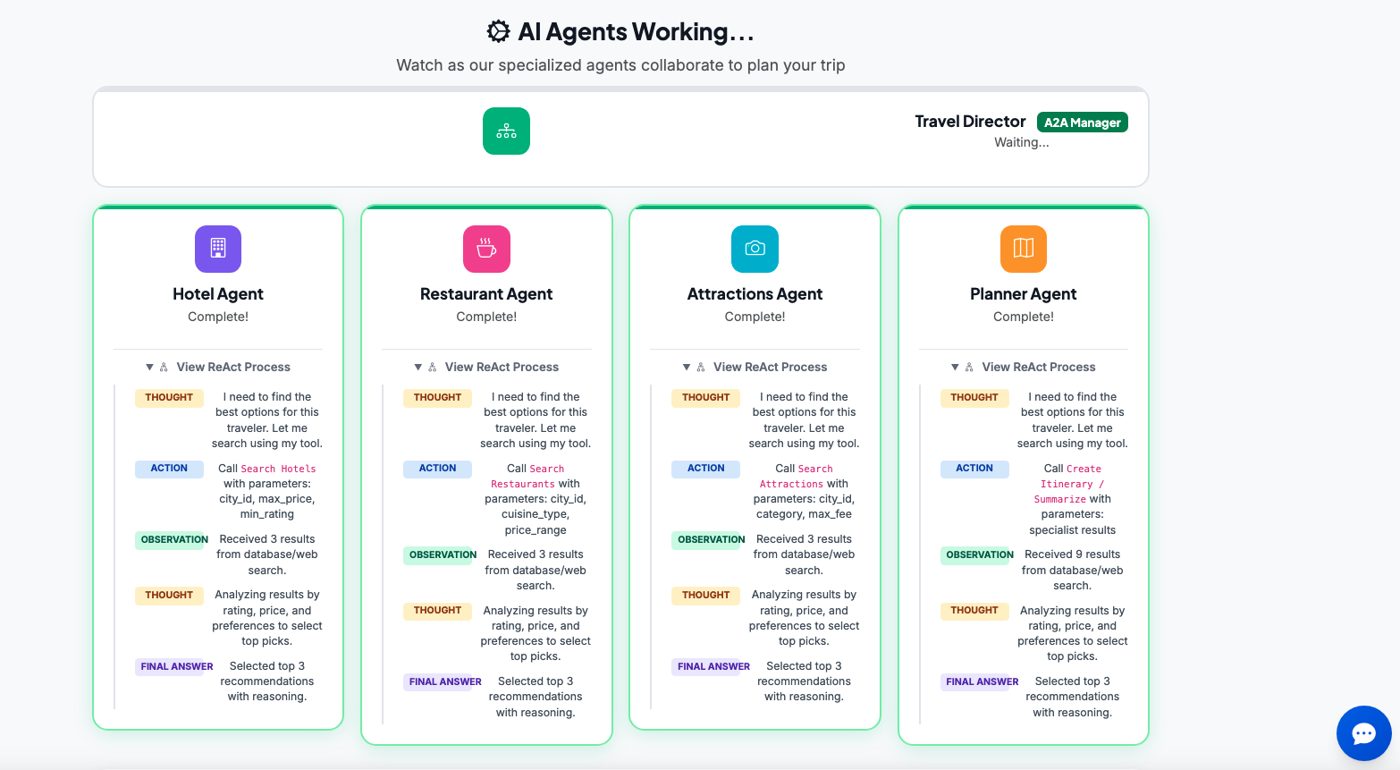
- S6–7+ agents
What we built together
Every session ended with something working. These are screens from Trip Genius, the AI travel planner we grew all season.
Tools we've put to work
We learn by using real tools, and we compare them honestly. They're examples, not endorsements, and OAILC is independent of every vendor.
AI assistants
Build an app from a prompt
Give AI your knowledge
Agents and frameworks
Ready for the real world
Season 1 curriculum
-
Level: Beginner
Session 1: AI Fundamentals: Getting Started with AI
From “what is AI?” to using five tools with confidence.
- AI vs ML vs generative AI vs LLMs, in plain language
- Temperature, Top-P, Top-K: the dials behind every answer
- Hands-on setup: ChatGPT, Claude, Gemini, Google AI Studio and NotebookLM
- A decision framework for choosing the right tool
Example: The same task run across all five tools, then compared live.
Tools and ideasChatGPTClaudeGeminiGoogle AI StudioNotebookLM
-
Level: Beginner
Session 2: Prompt and Context Engineering
Prompting as control, not tricks.
- Zero-, one- and few-shot, role, constraints, structured output, chain-of-thought and emotional prompting
- Bad vs good prompt comparisons for each
- Adversarial prompting: injection, leaking, jailbreaking and defences
- Context engineering with Custom GPTs, Claude Projects and Gemini Gems
Example: Homework: build three personal AI assistants.
Tools and ideasCustom GPTsClaude ProjectsGemini Gems
-
Level: All levels
Session 3: From Prompts to Products: Vibe Coding Your First AI App
Describe it, build it, refine it.
- Vibe coding vs traditional coding: possibilities and risks
- Browser builders (Base44 and Bolt.new) end to end
- Claude Code install on Windows and Mac; Cursor and VS Code compared
- Plan first: brainstorm, write a plan file, then build
Example: Trip Genius, an AI travel planner, built live from a plain-English idea.
Tools and ideasBase44Bolt.newLovableClaude CodeCursorVS Code
-
Level: BuilderHosted at Nokia
Session 4: Advanced Claude Code and Introduction to RAG
- Claude Code: Skills, slash commands, subagents and hooks
- RAG: embeddings, chunking, vector databases and similarity search
- RAG evolution, and “do we still need RAG with 1M-token context?”
Example: A local RAG database of cities added to Trip Genius.
Member demos: Riddhi Mody (ITSM chatbot, Base44 and PowerApps), Sudheendra Rajagopal (AI test-automation prototype) and Atul Kunkulol (habit-builder app on Vercel).
Tools and ideasClaude CodeSkillsSubagentsHooksRAGVector databases
-
Level: All levels
Session 5: MCP: Giving AI Real-World Tools
- What MCP is, who created it, what it solves and why everyone is building servers
- Local vs remote servers; MCP in Claude, ChatGPT and other tools
- MCP vs A2A
- Context overload, and when Skills beat MCP
Example: Live weather and GuruWalk MCP servers added to Trip Genius, plus a free MCP server in Claude Desktop.
Tools and ideasMCPClaude DesktopA2ASkills
-
Level: All levels
Session 6: Agentic AI, Part 1: What Is an Agent, Really?
- Autonomy: an LLM using tools in a loop; workflows vs agents
- Hype vs reality
- Four agentic patterns: reflection, tool use, planning and multi-agent
- When not to use an agent (a three-question test)
Example: Trip Genius as a fixed workflow vs an agentic version, tested on a curveball request.
Tools and ideasAgentsWorkflowsReflectionPlanning
-
Level: Builder
Session 7: Agentic AI, Part 2: Frameworks and Multi-Agent Systems
- Why frameworks exist, and a map of the landscape
- CrewAI vs LangGraph side by side
- Multi-agent patterns: supervisor, hand-offs and shared state
Example: Trip Genius rebuilt as a crew: Researcher, Planner, Budget-Checker and Critic.
Tools and ideasCrewAILangGraphMulti-agent
-
Level: BuilderHosted at Solace HQ
Session 8: Agentic AI, Part 3: From Demo to Production
- Evals, observability, cost, and guardrails with human-in-the-loop
- Event-driven agents at scale with Solace Agent Mesh
- A maturity ladder: workflows pretending to be agents vs production agents
Member demos: Neeraj Sharma, Gaurav Raura and Uday Kakkar.
Tools and ideasSolace Agent MeshEvalsGuardrailsObservability
Season 2
The curriculum becomes a community. See what's on
Suggested learning paths
Numbers are Season 1 sessions, in the order we recommend.
New to AI
- 1
- 2
- 3
Then join any Beginner workshop.
Building with AI
- 3
- 4
- 5
Then join a Hackathon or Demo Day.
Going agentic
- 6
- 7
- 8
Best after you've built an app or two.
Using AI responsibly
A few principles we teach in every session:
- Never paste confidential, personal or classified information into public AI tools.
- Always check AI output. It can be confidently wrong.
- Follow your employer's AI policy. Public servants should follow their department's guidance on generative AI.
- Be transparent when AI helped create your work.
Learning is better together.
Put what you've learned to work at a Season 2 workshop.